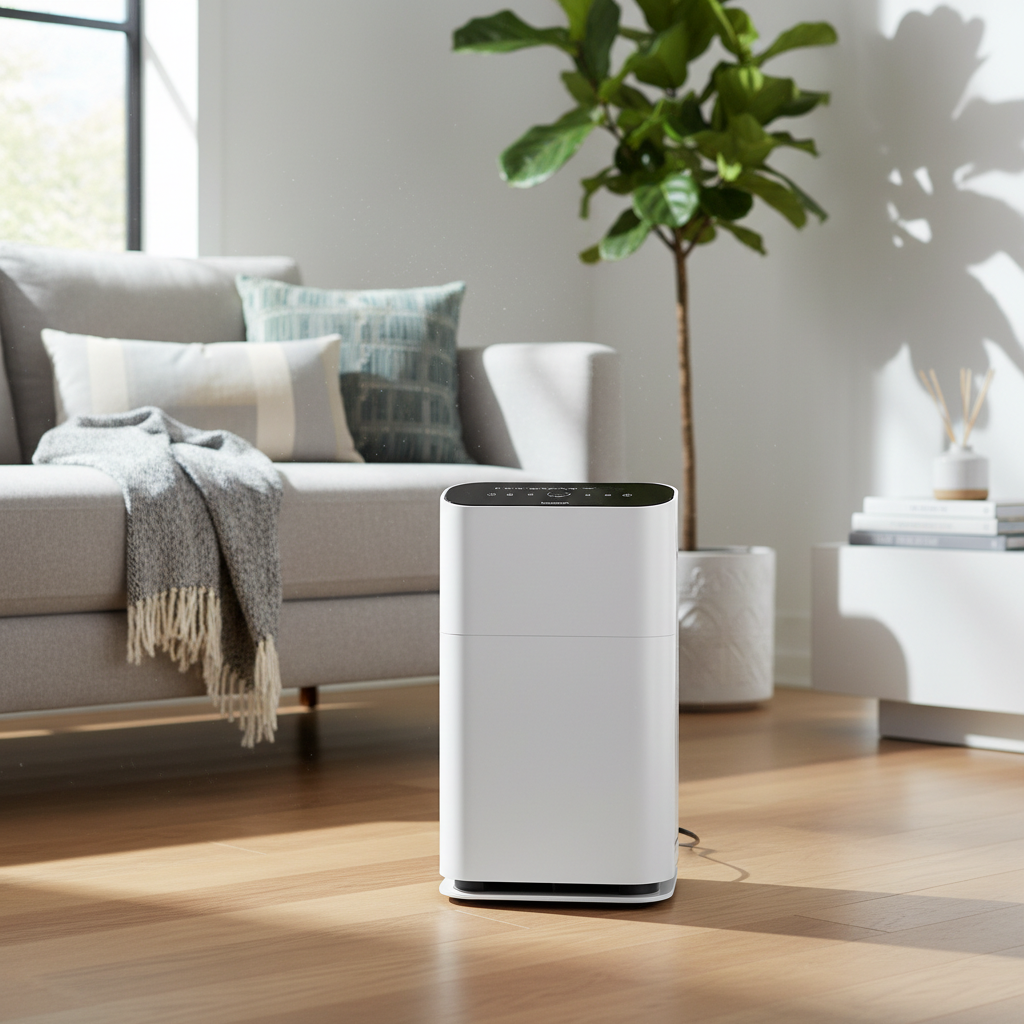
Is the once soothing hum of your air purifier now an irritating racket? An air purifier is an invaluable appliance for maintaining healthy indoor air quality, silently working to remove pollutants, allergens, and odors from your home. However, when it starts producing an unexpected or excessive amount of noise, it can quickly become a source of frustration rather than comfort. This guide will help you understand why your air purifier fan might be getting loud and provide actionable steps to diagnose and fix the problem, restoring peace and clean air to your living space.
Understanding Why Your Air Purifier Fan Gets Noisy
At the heart of every air purifier is a fan, responsible for drawing in contaminated air and expelling purified air. When this fan starts to make unusual noises, it typically indicates that it’s encountering resistance or experiencing a mechanical issue. The motor has to work harder than normal to maintain airflow, which can manifest as various sounds from humming and buzzing to rattling and grinding. Ignoring these noises can lead to more severe problems, including shortened motor life, reduced air cleaning performance, or even complete fan failure.
Common Culprits Behind a Loud Air Purifier Fan
Pinpointing the exact source of the noise is the first step toward a solution. Different sounds often point to distinct issues within the unit.
Clogged or Dirty Air Filters
|
Our Picks for the Best Air purifier in 2026
As an Amazon Associate I earn from qualifying purchases.
|
||
| Num | Product | Action |
|---|---|---|
| 1 | Air Purifiers for Home with High Efficiency Filter Up to 1076 Ft² for Pet Hair, Odors, Pollen, Smoke, Compact Air Cleaner with 3 Speeds, Timer, Aroma Quiet 360°Intake Filter, White |

|
| 2 | KNKA Air Purifier for Home Bedroom Large Room Up to 1,695 Ft² in 1 Hr, HEPA Air Cleaner with Washable Pre-Filter, AHAM VERIFIDE, AQI Display, ECO Mode, Pet Mode for Pets, Dust, Pollen, APH4000 |
|
| 3 | LEVOIT Air Purifiers for Bedroom Home Dorm, AHAM VERIFIED, 3-in-1 Filter Cleaner With Aroma Pad, Filters Smoke, Allergens, Pet Dander, Odor, Dust, Office, Desktop, Core Mini-P, White |
|
| 4 | FreAire Air Purifiers for Bedroom Up to 1086 Ft², Air Purifiers for Home with Lights, HEPA Air Purifier Removes Dust Smoke Pollen Dander Smell, for Home/Pets/Bedroom |
|
| 5 | LEVOIT Air Purifier for Home Bedroom Dorm Room, Smart & Voice Control, AHAM VERIFIED, 3-in-1 Filter With HEPA Sleep Mode, for Pollen, Pollutants, Smoke, Dander, Dust, Core 200S-P, White |
|
| 6 | LEVOIT Air Purifier for Home Allergies Pet Hair in Bedroom, Covers Up to 1073 ft² by 56W High Torque Motor, AHAM VERIFIDE, 3-in-1 Filter with HEPA Sleep Mode, Remove Dust Smoke Odor, Core300-P, White |
|
| 7 | Air Purifiers for Home Large Room, Cover Up to 2400 Ft² with True HEPA Filter, Smart Mode, PM2.5 Air Quality Display, 22dB Sleep Mode, Aromatherapy with 2X-Purification & 360°Air Outlet, HAP603 |
|
| 8 | Air Purifiers for Home Large Room Cover Up to 1500 Ft² with True HEPA Filter, 20dB Sleep Mode, 360° Air Intake & Outlet, Air Cleaner for Bedroom Pets, 7 Color Light, HAP604, Bright White |
|
| 9 | LEVOIT Air Purifiers for Home Large Room Up to 1875 Ft² with Washable Pre-Filter, AHAM VERIFIDE, Air Quality Monitor, HEPA Sleep Mode for Allergies, Pet Hair in Bedroom, Vital 200S-P, White |
|
| 10 | LEVOIT Air Purifier for Home Large Room Up to 1073Ft² with Air Quality Monitor, AHAM VERIFIDE, Smart WiFi, Washable Pre-Filter, HEPA Sleep Mode for Pets, Allergies, Dust, Pollen, Vital 100S-P, White |
|
This is by far the most common reason for an air purifier to become noisy. As your air purifier diligently cleans the air, its filters capture a multitude of particles—dust, pollen, pet dander, and more. Over time, these filters become saturated and clogged. This restriction forces the fan motor to work significantly harder to pull air through the dense filter material, leading to a louder humming or roaring sound. A visibly dirty or discolored HEPA filter is a clear sign it’s struggling.
Dust and Debris Buildup
Beyond the filters, dust, pet hair, or other small debris can accumulate directly on the fan blades or within the internal housing of the unit. This buildup can unbalance the fan, causing it to vibrate excessively and produce buzzing, rattling, or whining noises. Small objects inadvertently drawn into the air intake, such as pet toys or paper scraps, can also get caught in the fan blades, creating loud clanging or thudding sounds.
Loose Internal Components
If your air purifier has been moved, bumped, or simply experienced wear over time, internal components can become loose. Screws, panels, or even the fan mount itself can detach slightly, leading to vibrations, clicking, or rattling sounds. These noises might change in pitch or intensity if you gently press on different parts of the unit’s exterior.
High Fan Speed Settings
It’s important to remember that air purifiers naturally produce more noise when operating at higher fan speeds, such as in “Turbo” or “High” mode. While a steady, loud hum on these settings is often considered normal, it’s a significant increase from the quieter low-speed operation. If you’ve inadvertently left your purifier on a high setting, the “problem” might simply be the intended function.
Improper Unit Placement
The location of your air purifier can greatly influence its perceived noise level. Placing the unit too close to a wall, curtains, or furniture can restrict airflow, making the fan work harder and amplifying sounds as they reflect off nearby surfaces. Furthermore, an uneven or unstable surface can cause the unit to wobble and vibrate, creating additional noise.
Worn Motor or Bearings (A More Serious Issue)
If you hear grinding, high-pitched whining, or metallic scraping noises, it could indicate a more serious mechanical problem: worn fan motor bearings. This type of noise suggests internal friction and mechanical failure, signaling that the motor itself is deteriorating. This issue typically requires professional attention, as it involves opening sealed motor assemblies.
Step-by-Step Troubleshooting for a Noisy Air Purifier Fan
Before attempting any troubleshooting, always prioritize safety.
Safety First: Unplug Your Unit
Always unplug your air purifier from the power outlet before opening any compartments or performing any cleaning or inspection. This prevents electric shock and accidental operation.
Inspect and Replace/Clean Filters
- Remove and inspect all filters: Carefully open the filter compartment and remove the pre-filter (if applicable), HEPA filter, and activated carbon filter.
- Check for dirt and damage: Visually inspect each filter. If the pre-filter is washable, clean it according to the manufacturer’s instructions. For HEPA and carbon filters, note if they are visibly clogged, discolored, or heavily soiled.
- Replace as needed: HEPA filters typically need replacement every 6 to 12 months, depending on usage and air quality. A clean filter ensures optimal airflow and reduces strain on the fan motor.
- Ensure proper installation: When reinserting filters, make sure they are seated correctly and securely. Improper installation can lead to air leaks and rattling.
Clean Fan Blades and Interior Cavities
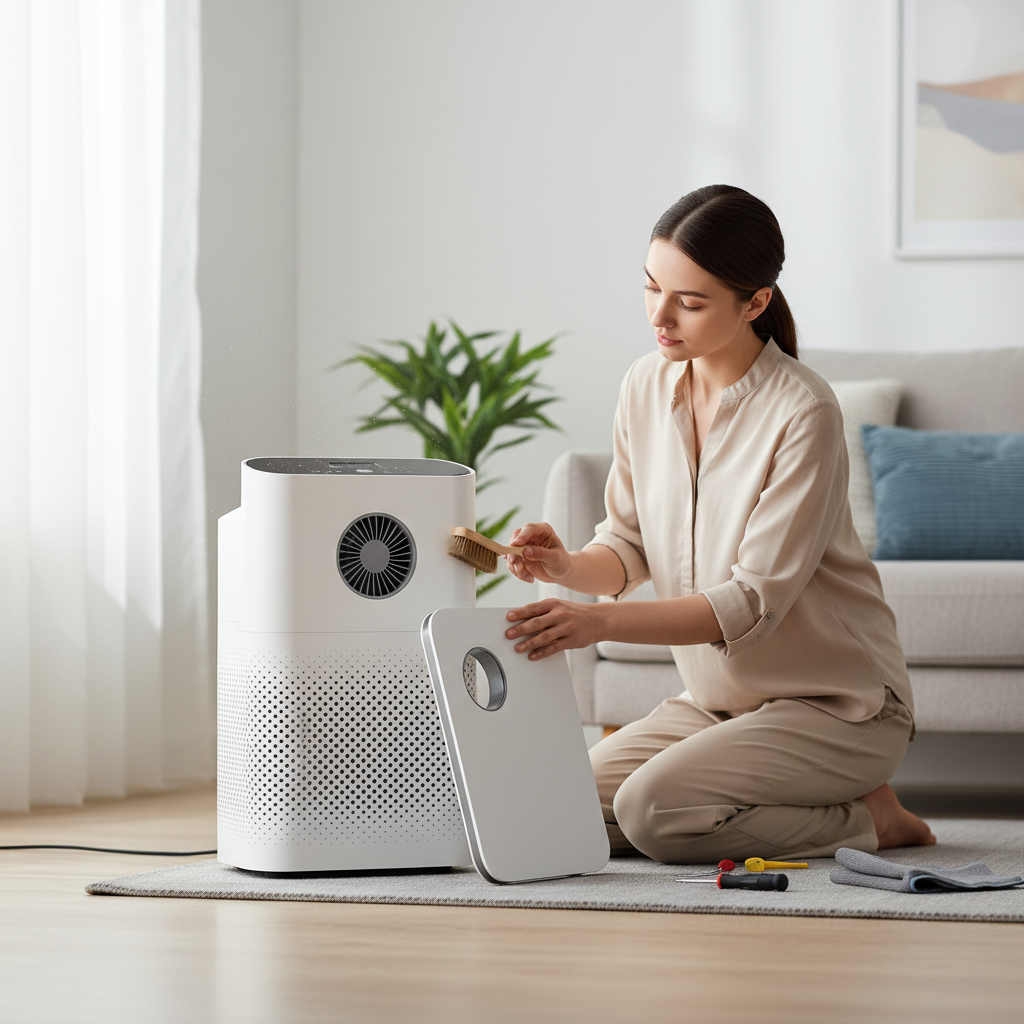
- Access the fan: Refer to your owner’s manual for instructions on how to safely access the fan compartment. This may involve removing a cover or grille.
- Remove dust and debris: Use a soft, dry cloth, a brush attachment on a vacuum cleaner, or compressed air to gently clean dust, pet hair, and other debris from the fan blades, motor housing, and surrounding interior surfaces. Be thorough but careful not to damage the delicate components.
- Remove obstructions: If you spot any foreign objects caught in the fan or air pathways, carefully remove them.
Check for and Tighten Loose Parts
- External panels: Gently press on the exterior panels of your air purifier. If you hear a change in noise or feel a distinct vibration, identify the loose panel.
- Visible screws: Using a small screwdriver (if required), check and gently tighten any visible screws on the casing or internal components. Do not overtighten.
- Fan mounts: If accessible and safe to do so, check if the fan assembly itself feels secure.
Optimize Placement
- Level surface: Ensure your air purifier is placed on a flat, stable, and level surface. Uneven surfaces can cause the unit to rock or vibrate.
- Adequate clearance: Position the purifier away from walls, curtains, and large furniture to allow for unobstructed airflow from all intake and exhaust vents. Aim for at least 6-12 inches of clearance around the unit.
- Vibration dampening: If the unit is on a hard floor and still vibrates, consider placing a soft mat, rubber pad, or anti-vibration feet underneath it to absorb vibrations.
Adjust Fan Speed Settings
Turn on your air purifier and test it on different fan speed settings. If the noise significantly reduces on lower settings and is acceptable for your needs, you might simply need to adjust your usage habits or consider running it on a lower setting for longer periods.
When to Seek Professional Help
While many noisy air purifier issues can be resolved with DIY troubleshooting, some problems require expert intervention.
“If you’re hearing grinding, metallic scraping, or persistent high-pitched whining, these often indicate severe motor wear. Continuing to operate the unit could cause further damage or pose a safety risk.” – John Smith, Senior Appliance Technician
You should consider contacting a qualified technician or the manufacturer’s support if:
- The noise persists even after you’ve thoroughly performed all the troubleshooting steps.
- You hear grinding, high-pitched whining, or metallic scraping sounds, which suggest a failing motor or bearings.
- The fan speed fluctuates erratically without user input.
- The unit vibrates excessively and uncontrollably.
- The problem appears to be within a sealed motor assembly or non-user-serviceable part. Attempting to repair these yourself can void warranties or cause further damage.
Preventative Measures for a Quiet Air Purifier
Proactive maintenance is key to keeping your air purifier running smoothly and quietly for years to come.
- Establish a regular cleaning schedule: Dust the exterior and vacuum the pre-filter (if applicable) every 2-4 weeks, especially in dusty environments or homes with pets.
- Replace filters on time: Adhere to the manufacturer’s recommended filter replacement intervals. Mark it on your calendar or use your air purifier’s filter indicator lights.
- Mindful placement: Always ensure the unit has ample space and is on a stable, level surface.
- Avoid continuous high-speed use: While high speeds are good for quick air cleaning, prolonged use can accelerate wear and tear. Use lower, quieter settings for everyday operation.
Conclusion
A noisy air purifier fan doesn’t have to disrupt your home’s tranquility or compromise your indoor air quality. By systematically investigating common culprits such as clogged filters, dust buildup, loose components, or improper placement, you can often identify and resolve the issue yourself. Regular maintenance and attentive care are crucial for ensuring your air purifier operates efficiently and quietly, providing the clean, fresh air you deserve. Don’t let a loud fan detract from the health benefits of your air purifier – take action to restore its peaceful operation today. What steps will you take to quiet your air purifier and enjoy a more serene living environment?
Frequently Asked Questions
Is it normal for air purifiers to make noise?
A gentle hum or soft airflow sound, especially on higher fan settings, is considered normal for most air purifiers. However, loud rattling, buzzing, grinding, or sudden changes in noise level usually indicate an underlying issue that needs attention.
Can a dirty filter damage the fan?
Yes, a heavily dirty or clogged filter can damage the fan and motor over time. It restricts airflow, forcing the fan motor to work much harder and potentially overheat or wear out prematurely due to increased strain.
Should I keep using a noisy air purifier?
If the noise is due to a high fan speed setting or a mildly dirty filter, it’s generally safe to continue using. However, if you hear grinding, metallic sounds, or the unit is vibrating excessively, discontinue use and troubleshoot or seek professional help immediately to prevent further damage or potential safety hazards.
How often should I clean my air purifier fan?
It’s recommended to clean the visible fan blades and the interior air intake areas of your air purifier every 1-3 months, or more frequently if you live in a particularly dusty environment or have pets. Always refer to your specific air purifier’s user manual for detailed cleaning instructions.