Tired of the constant manual adjustments to your air purifier, or forgetting to turn it on when you need it most? In our increasingly connected homes, manually operating essential appliances like air purifiers can feel like a relic of the past. The good news is you don’t always need to buy a brand-new, expensive smart air purifier to enjoy the benefits of automation. Smart plugs offer a simple, cost-effective solution to “smartify” your existing air purification system, bringing convenience, efficiency, and enhanced control right to your fingertips. This article will delve into the world of smart plugs and air purifiers, guiding you through the benefits, compatibility considerations, step-by-step setup, and best practices to achieve a smarter, cleaner home environment.
Understanding Air Purifiers and Smart Plugs
At its core, an air purifier is a device designed to remove contaminants from the air in a room, improving indoor air quality. These devices typically use filters to trap particles like dust, pollen, pet dander, and smoke, making the air healthier to breathe. They are particularly beneficial for individuals with allergies, asthma, or those living in areas with high pollution levels.
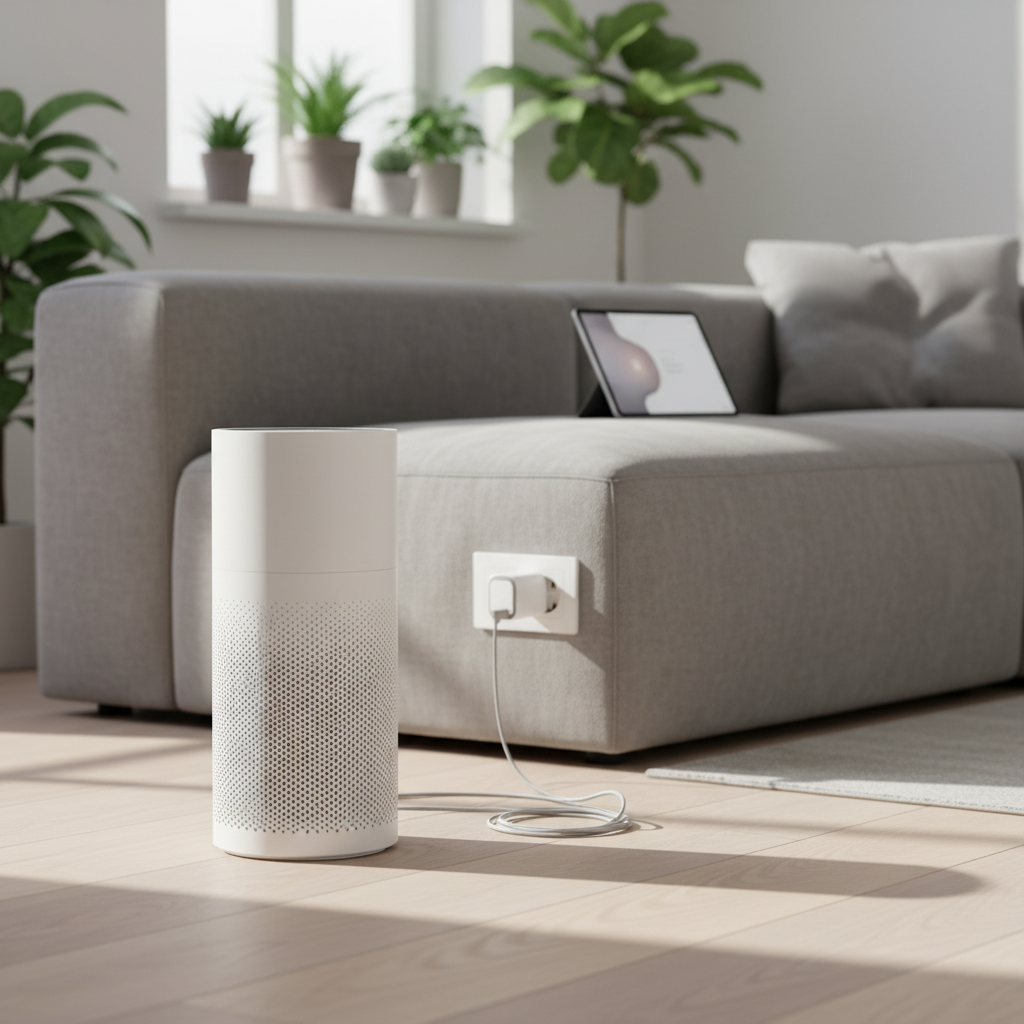
Smart plugs, on the other hand, are compact smart home devices that plug into a standard electrical outlet. They act as an intermediary between your appliance and the power source, allowing you to remotely control the power supply to the connected device via a smartphone app, voice assistant, or predetermined schedule. Most smart plugs connect to your home’s Wi-Fi network, providing seamless integration with your smart home ecosystem.
The true power emerges when you combine these two technologies. By connecting a traditional, “dumb” air purifier to a smart plug, you transform it into an intelligent appliance. This allows you to schedule its operation, turn it on or off from anywhere, and even integrate it with other smart home devices, all without needing to purchase a costly, fully integrated smart air purifier.
The Benefits of Automating Your Air Purifier with Smart Plugs
Automating your air purifier with a smart plug offers a multitude of advantages that enhance both convenience and the effectiveness of your air quality management. It’s a simple upgrade that can significantly impact your daily life.
Enhanced Convenience and Remote Control
|
Our Picks for the Best Air purifier in 2026
As an Amazon Associate I earn from qualifying purchases.
|
||
| Num | Product | Action |
|---|---|---|
| 1 | LEVOIT Air Purifier for Home Large Room Up to 1073Ft² with Air Quality Monitor, AHAM VERIFIDE, Smart WiFi, Washable Pre-Filter, HEPA Sleep Mode for Pets, Allergies, Dust, Pollen, Vital 100S-P, White |

|
| 2 | LEVOIT Air Purifier for Home Bedroom Dorm Room, Smart & Voice Control, AHAM VERIFIED, 3-in-1 Filter With HEPA Sleep Mode, for Pollen, Pollutants, Smoke, Dander, Dust, Core 200S-P, White |
|
| 3 | Air Purifiers for Home with High Efficiency Filter Up to 1076 Ft² for Pet Hair, Odors, Pollen, Smoke, Compact Air Cleaner with 3 Speeds, Timer, Aroma Quiet 360°Intake Filter, White |
|
| 4 | LEVOIT Air Purifiers for Home Large Room Up to 1875 Ft² with Washable Pre-Filter, AHAM VERIFIDE, Air Quality Monitor, HEPA Sleep Mode for Allergies, Pet Hair in Bedroom, Vital 200S-P, White |
|
| 5 | LEVOIT Air Purifier for Home Allergies Pet Hair in Bedroom, Covers Up to 1073 ft² by 56W High Torque Motor, AHAM VERIFIDE, 3-in-1 Filter with HEPA Sleep Mode, Remove Dust Smoke Odor, Core300-P, White |
|
| 6 | KNKA Air Purifier for Home Bedroom Large Room Up to 1,695 Ft² in 1 Hr, HEPA Air Cleaner with Washable Pre-Filter, AHAM VERIFIDE, AQI Display, ECO Mode, Pet Mode for Pets, Dust, Pollen, APH4000 |
|
| 7 | LEVOIT Air Purifiers for Bedroom Home Dorm, AHAM VERIFIED, 3-in-1 Filter Cleaner With Aroma Pad, Filters Smoke, Allergens, Pet Dander, Odor, Dust, Office, Desktop, Core Mini-P, White |
|
| 8 | Air Purifiers for Home Large Room, Cover Up to 2400 Ft² with True HEPA Filter, Smart Mode, PM2.5 Air Quality Display, 22dB Sleep Mode, Aromatherapy with 2X-Purification & 360°Air Outlet, HAP603 |
|
| 9 | Air Purifiers for Home Large Room Cover Up to 1500 Ft² with True HEPA Filter, 20dB Sleep Mode, 360° Air Intake & Outlet, Air Cleaner for Bedroom Pets, 7 Color Light, HAP604, Bright White |
|
| 10 | FreAire Air Purifiers for Bedroom Up to 1086 Ft², Air Purifiers for Home with Lights, HEPA Air Purifier Removes Dust Smoke Pollen Dander Smell, for Home/Pets/Bedroom |
|
Imagine leaving home and realizing you forgot to turn on your air purifier. With a smart plug, you can simply open an app on your smartphone and switch it on from anywhere. Similarly, you can power it down when not needed, all without physically interacting with the device itself. This level of remote control provides unparalleled convenience, ensuring your home’s air is fresh when you arrive or purified while you’re away.
Improved Air Quality Management
Automated scheduling allows you to run your air purifier strategically. You can program it to operate during peak pollen seasons, when outdoor air quality is poor, or during specific times of the day, such as before bedtime or while you’re at work. This targeted approach ensures that air purification aligns with your family’s routine and environmental needs, leading to consistently healthier indoor air. For example, some users schedule their purifiers to turn on when their smart TV is turned off, ensuring clean air during sleep.
Energy Efficiency and Cost Savings
Leaving an air purifier running continuously can consume a surprising amount of energy. By automating its operation with a smart plug, you can ensure it only runs when necessary. This prevents unnecessary energy consumption, leading to noticeable savings on your electricity bills over time. Many smart plugs also offer energy monitoring features, allowing you to track exactly how much power your air purifier is using and further optimize its schedule for maximum efficiency.
Seamless Smart Home Integration
Smart plugs integrate effortlessly with popular smart home platforms like Amazon Alexa, Google Assistant, and Apple HomeKit. This means you can control your air purifier with simple voice commands, adding another layer of convenience. Furthermore, you can create complex routines that link your air purifier to other smart devices. For instance, your air purifier could activate when a smart air quality monitor detects a drop in air quality or when you disarm your smart home security system upon returning home.
Compatibility: Will Your Air Purifier Work with a Smart Plug?
While the idea of automating your air purifier with a smart plug is appealing, not all models are compatible with this “smart” upgrade. The key to successful automation lies in a specific feature of your air purifier: its auto-restart functionality.
The Crucial Factor: Auto-Restart Functionality
For a smart plug to effectively automate an air purifier, the purifier must automatically resume its last operational state (i.e., turn on) when power is restored after being cut. If an air purifier requires a manual button press to turn back on after being unplugged or after a power outage, it generally will not work with a basic smart plug for automation.
Identifying Compatible Air Purifiers
- Mechanical Switches: Air purifiers with old-fashioned mechanical on/off switches or toggle buttons that physically remain in the “on” position are typically compatible. When a smart plug supplies power, the purifier will simply pick up where it left off.
- Electronic Controls: Many modern air purifiers feature electronic touch panels or digital buttons. If pressing the “on” button is required after plugging in the device, a smart plug won’t be able to initiate operation remotely.
Testing Your Air Purifier for Compatibility
To determine if your air purifier is compatible, perform this simple test:
- Plug in your air purifier and turn it on to your desired setting.
- While it’s running, unplug it from the wall outlet.
- Wait for about 10-15 seconds.
- Plug the air purifier back into the wall outlet.
- If the air purifier automatically turns back on to its previous setting without any manual intervention, then it is compatible with a smart plug. If it remains off or requires you to press a button, it cannot be automated with a standard smart plug.
Types of Smart Plugs and Their Features
When choosing a smart plug, consider connectivity and features:
- Wi-Fi Smart Plugs: The most common type, connecting directly to your home’s Wi-Fi network and controlled via an app.
- Matter-Compatible Smart Plugs: Matter is a universal smart home protocol that allows devices from different brands to communicate seamlessly. If you have a diverse smart home ecosystem, a Matter-compatible plug can simplify integration.
- Energy Monitoring: Some smart plugs include power monitoring, allowing you to track your air purifier’s electricity consumption, which helps in optimizing energy usage and cost savings.
“The most common mistake people make when trying to automate a ‘dumb’ appliance like an air purifier is overlooking the device’s default power-on state. A smart plug is essentially an on/off switch; if your appliance needs a manual button press to reactivate after a power interruption, a smart plug alone won’t get the job done.” – Admin, Reviewlized.com, Air Purification Expert
Step-by-Step Guide to Automating Your Air Purifier
Once you’ve confirmed your air purifier is compatible, automating it with a smart plug is a straightforward process. Follow these steps to set up your intelligent air purification system.
Choosing the Right Smart Plug
Consider your existing smart home ecosystem (e.g., Amazon Alexa, Google Home, Apple HomeKit) to ensure seamless integration. Look for smart plugs with features that matter to you, such as energy monitoring or Matter compatibility for future-proofing your smart home. Popular brands like Kasa and TP-Link Tapo offer reliable options.
Initial Setup of Your Smart Plug
- Download the App: Install the smart plug manufacturer’s companion app on your smartphone or tablet.
- Plug In the Smart Plug: Insert the smart plug into a wall outlet near your air purifier.
- Connect to Wi-Fi: Follow the in-app instructions to connect the smart plug to your home’s 2.4 GHz Wi-Fi network. This usually involves a few taps and entering your Wi-Fi password.
Connecting Your Air Purifier to the Smart Plug
- Prepare Your Air Purifier: Plug your air purifier into the smart plug.
- Set Desired State: Turn on your air purifier manually and set it to the desired fan speed or mode that you want it to operate at when the smart plug powers it on. Remember, your air purifier must automatically return to this state after a power interruption for automation to work.
Creating Schedules and Routines
Most smart plug apps allow you to create custom schedules and routines.
- Time-Based Schedules: Set your air purifier to turn on automatically at specific times, like an hour before you wake up, when you leave for work, or before you return home.
- Conditional Routines: Integrate your smart plug with other smart home devices. For example, if you have an indoor air quality monitor, you can set a routine to turn on the air purifier when pollutant levels reach a certain threshold. You can also create routines based on motion detection or even sunset/sunrise times.
Voice Control Integration
To enable voice control, link your smart plug account to your preferred voice assistant (e.g., Amazon Alexa, Google Assistant).
- Open Voice Assistant App: Go to the “Skills” or “Works with Google” section in your Alexa or Google Home app.
- Search for Smart Plug Brand: Find and enable the skill for your smart plug’s brand.
- Discover Devices: The voice assistant will then discover your connected smart plug.
- Assign a Name: Give your air purifier a simple, memorable name (e.g., “living room purifier”) for easy voice commands. Now you can say, “Alexa, turn on the living room purifier” or “Hey Google, turn off the bedroom air.”
Troubleshooting Common Automation Issues
While automating your air purifier with a smart plug is generally straightforward, you might encounter a few hiccups. Here’s how to address common problems.
Air Purifier Not Turning On/Off as Expected
The most frequent issue is when the air purifier doesn’t respond to the smart plug. Reconfirm that your air purifier has the essential auto-restart feature. If it requires a manual button press after a power cut, a standard smart plug simply won’t work for turning it on. Also, ensure the air purifier itself is switched on to its desired setting before plugging it into the smart plug.
Connectivity Problems
If your smart plug is frequently disconnecting or unresponsive, check your Wi-Fi signal strength in the area where the plug is located. Smart plugs generally work best on a 2.4 GHz Wi-Fi network, and a weak signal can cause issues. Relocating the smart plug closer to your router or using a Wi-Fi extender might resolve this.
Scheduling Discrepancies
If your schedules aren’t executing correctly, double-check the settings within your smart plug’s app. Verify the times, days, and any conditional triggers are set as intended. Ensure your smart plug’s firmware is up to date, as manufacturers often release updates to improve performance and stability.
Overloading the Smart Plug
While most air purifiers have relatively low power consumption, it’s essential to verify that your air purifier’s wattage and amperage requirements do not exceed the maximum rating of your smart plug. Overloading a smart plug can cause it to trip or even damage the device. You can usually find the electrical specifications for both devices in their respective manuals or on the labels.
Maximizing Your Automated Air Purifier’s Potential
Beyond basic scheduling, you can unlock even greater control and efficiency from your automated air purifier by exploring advanced features and integrations.
Advanced Scheduling Strategies
Think beyond simple on/off times. Consider creating “if-then” scenarios. For example, you could schedule your purifier to run on a higher setting for an hour after cooking, or for a few hours before bedtime every night. Some smart home platforms allow for geo-fencing, enabling your air purifier to turn on automatically when you’re a certain distance from home, ensuring fresh air upon your arrival.
Integrating with Other Smart Home Devices
Pairing your smart plug with other smart home devices can create a truly intelligent environment. Connect it to a smart air quality monitor to trigger purification only when pollutant levels are high. Link it with smart thermostats to coordinate temperature and air quality control. You could even have your air purifier activate when your smart door sensor detects you’ve left a window open, providing an alert and initiating cleaning.
Energy Monitoring and Optimization
Many smart plugs, like the Kasa KP125M, offer energy usage tracking. This data provides valuable insights into how much electricity your air purifier consumes. By monitoring these patterns, you can identify opportunities to fine-tune your schedules, potentially reducing energy waste and further lowering your utility bills. Analyzing usage helps you strike the perfect balance between clean air and energy efficiency.
Top Smart Plugs for Air Purifier Automation
Selecting the right smart plug is crucial for a smooth automation experience. Here are some highly-rated and popular options that excel in performance and compatibility.
General Recommendations
- Kasa Smart Plugs (e.g., KP125M, Mini): Widely praised for their reliability, ease of setup, and robust app features, Kasa plugs are a favorite among smart home enthusiasts. They offer good value, often available in multi-packs.
- TP-Link Tapo Smart Plugs: Another strong contender, Tapo plugs provide a user-friendly experience and solid performance.
Matter-Compatible Options
For those looking for future-proof compatibility across different smart home ecosystems (Alexa, Google Home, Apple HomeKit), Matter-compatible plugs are an excellent choice.
- TP-Link Tapo Matter-Compatible Smart Plug: Offers broad compatibility and reliable local control, even offline, thanks to Thread technology.
- Kasa Matter Smart Plug KP125M: Combines Kasa’s trusted performance with the universal connectivity of Matter.
Specialized Options
- PrimoAire IAQ SmartPlug: This smart plug is designed specifically for controlling home air quality devices and can integrate with the PrimoAire Indoor Air Quality Monitor to automatically turn devices on or off based on air quality thresholds. This offers a more integrated air quality management solution.
Maintenance for Automated Air Purifiers
Even with automation, regular maintenance of your air purifier is essential to ensure its continued effectiveness and longevity. Smart technology can even assist in this aspect.
Regular Filter Replacement Reminders
Many smart air purifiers come with native filter life indicators. If your air purifier doesn’t have this, you can use your smart plug’s app or smart home routines to set recurring reminders for filter replacement. Based on the manufacturer’s recommendations for your air purifier, schedule a notification every few months. This ensures your air purifier always operates with clean, efficient filters, providing optimal purification.
Cleaning the Air Purifier and Smart Plug
Periodically clean the exterior of your air purifier to prevent dust buildup on its vents, which can hinder airflow. Similarly, ensure your smart plug is free from dust and debris. Always unplug both devices before cleaning. Proper care extends the life of your appliances and maintains peak performance.
Conclusion
Automating your air purifier with smart plugs is a game-changer for anyone seeking a healthier, more convenient, and energy-efficient living space. By leveraging the power of smart home technology, you can transform a simple appliance into an intelligent air quality guardian. From creating precise schedules that align with your daily routine to integrating with other smart devices for reactive purification, the possibilities are vast. This simple upgrade not only provides enhanced control and peace of mind but also contributes to a cleaner, fresher home environment without the need for a significant investment in new equipment. So, take the leap and explore the smart plug options available to you. How will you customize your air purification routine for a healthier living space?
Frequently Asked Questions
Can any air purifier be automated with a smart plug?
No, not all air purifiers are compatible. The crucial factor is whether the air purifier automatically turns back on to its last operating state after power is interrupted and restored. If it requires a manual button press, a standard smart plug won’t be able to turn it on.
What is “auto-restart” and why is it important for smart plug automation?
Auto-restart, or “last state” memory, refers to an appliance’s ability to resume its previous operating mode after a power cut. It’s vital for smart plug automation because the smart plug acts as a power switch; without auto-restart, the air purifier won’t power on automatically when the smart plug sends power.
Do smart plugs consume a lot of energy?
Smart plugs themselves consume very little energy, typically less than 1-2 watts when idle. Their primary function is to manage the power of the connected device. Many models even offer energy monitoring features to help you track and optimize the consumption of your air purifier.
Can I control my air purifier with voice commands after automating it?
Yes, absolutely! Once you’ve set up your smart plug and linked it to a voice assistant like Amazon Alexa or Google Assistant, you can control your air purifier with simple voice commands, such as “Alexa, turn on the air purifier” or “Hey Google, turn off the living room air.”
Are there smart plugs that can also monitor air quality?
While most standard smart plugs only control power, some specialized smart plugs, like the PrimoAire IAQ SmartPlug, are designed to integrate with external air quality monitors. This allows for automation triggered by real-time air quality data, providing a more responsive and intelligent purification system.